IN2029: Programming in C++ 2010-2011 (Oct-Dec 2010)
MyOrganazio project
Diary of Oleksandr Humenyuk, abdt288
Welcome to my personal blog of my programming experience.
I will be developing my own Portable Database Management application called MyOrganazio in which I will create GUIs to control SQLite database engine.
I was given a set of requirements for the project and will do my best to fulfil all the requirements and add some extra innovative features to my future application to be attractive to the potential users.
Requirements briefing:
Contacts list
Birthday and reminders, with alarms
Diary and Memos
Let's get started now. I will keep updating the blog frequently with my progress.
| Date listed | Comments | Evidence & References |
|---|---|---|
| 23 October 2010 |
Tasks performed: Downloaded and installed Visual Studio 2008 and SQLite engine to my desktop. Updated settings in VS to work with SQLite. Reminded myself about usage of VS2008, eg. forms, properties, design, coding. Followed instructions from lectures and tutorials for creating a test database and code. Followed lecture notes for C++ specifics.
Problems encountered: Encountered problems while installing SQLite without any training but figured out everything when checked lecture notes.
|
Lecture notes, tutorials |
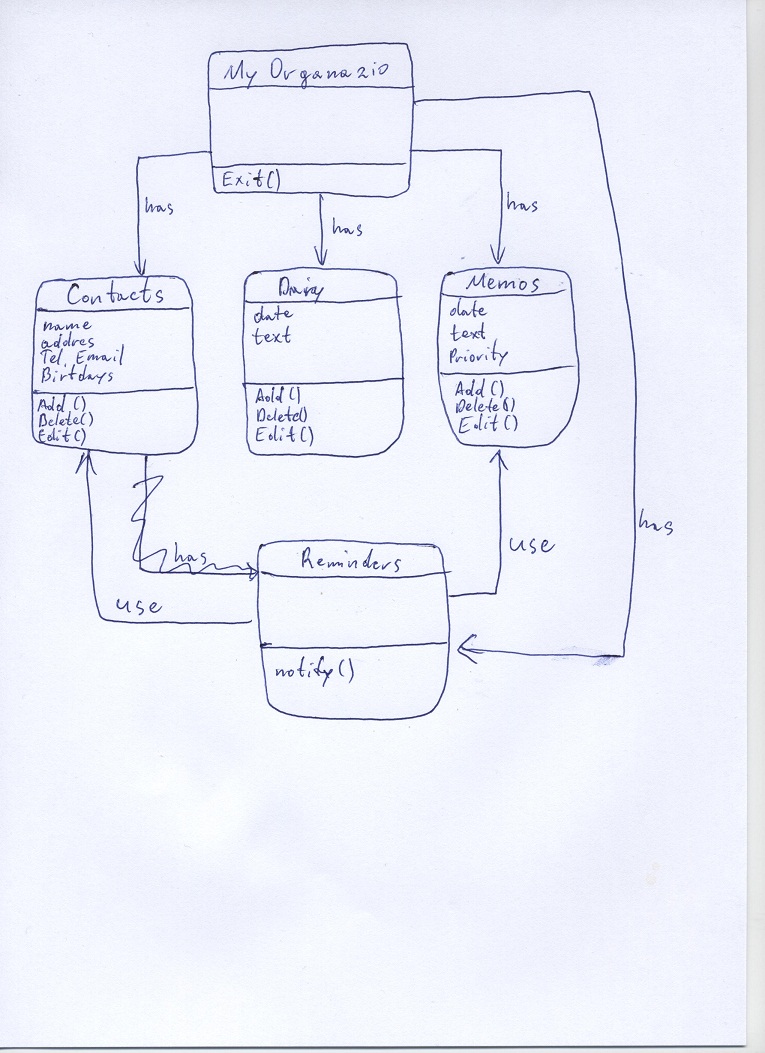
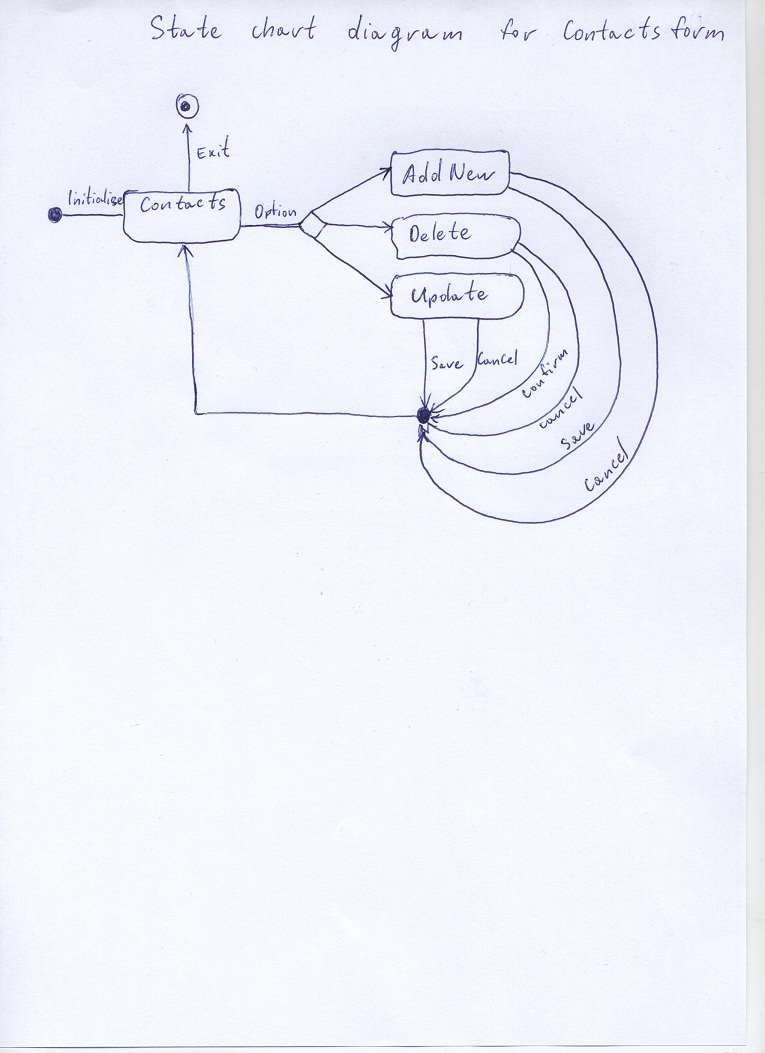
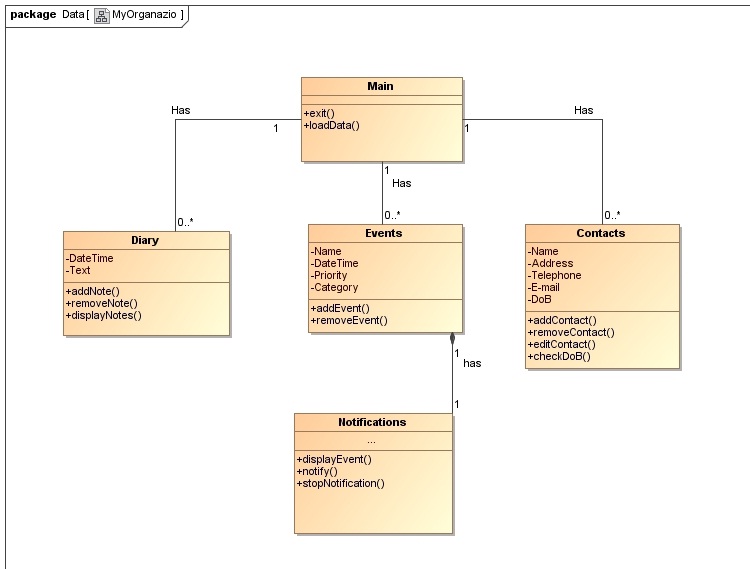
| 30 October 2010 | Tasks performed: Thinking about the program I have created few prototypes of user interfaces. Of course these are not complete but at the moment I can see them like drawn. Researched for any examples of C++ with sql. Updated this post with basic UML class diagram for the application and state machine diagram for the contacts form. Please find attached documents. Used MagicDraw experience to create some diagrams which can be seen on the right. Problems encountered: Visual studio helps a lot with the graphical user interfase as the programmer do not need to write the code manually to create windows forms. |
Lecture notes, tutorial exercises Various websites from google search Prototypes of the user interfaces in different forms:
UML Diagrams:
|
| 7 November 2010 |
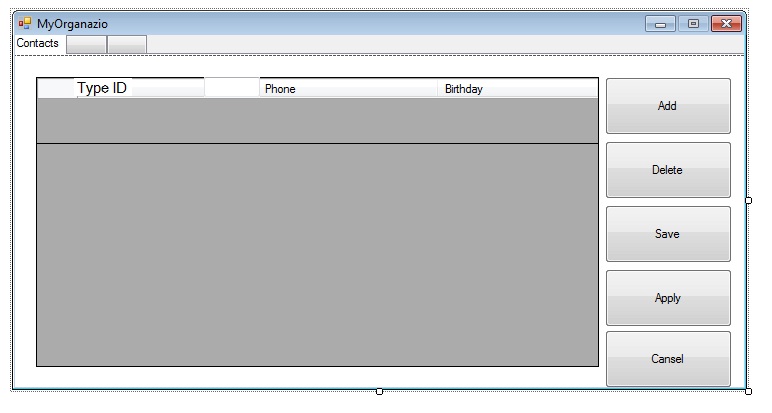
Tasks performed: Decided to do only one form with a tabs like contacts, diary and memos. Included the one I have created. Figured out how to create my database when application sarts or open already created one and load contacts into the DataGrid: public ref class Form1 : public System::Windows::Forms::Form Problems encountered: Because I am a beginner in C++ and SQLite I have had and will have a lot of difficulties while programming but as I have some backgrounds in programming in VB, Java, php I will try to solve any difficulties and refere to various information sources for the help and support. |
|
| 14 November 2010 | Tasks performed: Decided to do only one form with a tabs like contacts, diary and memos. Included the one I have created. Updated my contact list tab to work with SQLite. All the buttons works perfectly so I can add, edit, delete a contact in my application now. //Adding a contact saveConnection->Close(); //Deletion Problems encountered: The coding part of the project can't exist without errors and mistakes. I am solving them on the go and there will be a large list if I will write all the problems and solutions here.
|
 |
| 21 November 2010 |
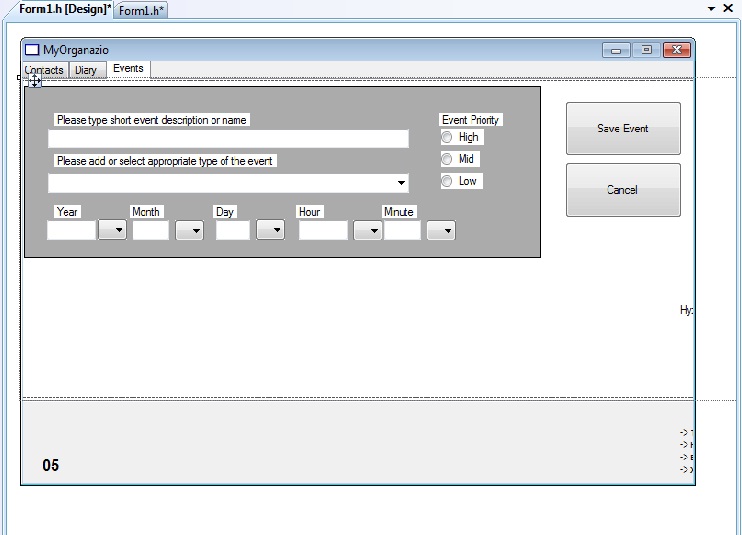
I was advised by course tutor to implement some idea - a scenario into my project to have higher value and to be more business oriented. For quite a while I was choosing a scenario and decided why not to do a program for students which will help them to organise their student life more efficiently. I have thought of some functionality which will be more specific for students but still the application will be pretty much the same. The difference will make some categories related to courses, course works, examinations and possibly teaching staff. I have designed in VisualStudio more tabs with some information in them like buttons, text boxes, combo boxes. Played around with different attributes to remind myself what is what as I was working a lot in Visual studio last year while doing team project where I was the main programmer. That was a very useful experience which helps me with this project a lot. I have attached a screen shot to show you my current progress.
|
 |
| 27 November 2010 |
Quite exhaustive work it is. Started coding of the buttons, hiding/showing them where needed. Also declared variables to be used in methods and constructors. Managed to create database connections for diary and events. Now I can save everything to the database. Code for saving a note to the diary: private: System::Void button1_Click_2(System::Object^ sender, System::EventArgs^ e) { SQLiteConnection^ iConnection=gcnew SQLiteConnection("Data Source=anotherdatabase.db3"); Works fine but still need to manage deletion process and think about how events will be handled. Did not have major problems with coding but there were many silly mistakes in spelling or syntax.
|
Used lecture slides, tutorials and some online tutorials and examples for better understanding |
| 5 December 2010 |
Managed to do the database part. can add, edit and delete a contact, add a note to diary, add and remove events. Started playing around with dynamic arrays and that is far not the easiest part of the project. Tried to load data from the database to put it into array but just waisted my time. Error after error. Will do some more research next week for better understanding.
|
Lecture slides, online manuals and tutorials as well as examples |
| 16 December 2010 |
After spending dozens of time on understanding dynamicity of C++ I have managed to do something useful for my application.
Completed the design of my application. Made all the buttons clearly visible and understandable. |
.jpg)
.jpg)